DigiLocker FAQs
This document addresses common technical questions and implementation challenges encountered when integrating DigiLocker APIs, including authentication flows, document retrieval, error handling, and configuration requirements.
Flow Types & Authentication Queries
What are the different types of flows supported with DigiLocker?
DigiLocker supports the following flow types:
- PIN-Based Sign In Journey
- PIN-Based Sign Up Journey
- PIN-Less Sign In Journey
What does New/Existing User mean in the context of DigiLocker?
New Users: Users who do not have an existing DigiLocker account. These users can still proceed through the DigiLocker flow and create an account during the process.
Existing Users: Users who have an existing DigiLocker account. These users may or may not have issued documents already present in their DigiLocker account.
PIN-Less Flow Queries
What type of users and flow types are recommended for using PIN-Less flows?
PIN-Less flows can only be used for users who already have a DigiLocker account with documents present in their vault.
Recommendation: Use PIN-Less flows only for sign-in flows with users who have accounts containing Aadhaar documents.
What are the prerequisites for using PIN-Less flow?
You must be registered with DigiLocker with your own account. Your Client ID and Secret must be mapped to your AppID, and you must pass both the usePIN-LessAuth and useCustomAuthFlow parameters at the Start API level.
Can PIN-Less flow be used for fetching new Aadhaar/PAN/DL not present in the user's DigiLocker vault?
No. The PIN-Less flow is designed solely as a sign-in mechanism to retrieve Aadhaar/PAN cards that are already present in the user's DigiLocker vault. It does not support fetching new documents from issuing authorities such as UIDAI or NSDL.
For fetching new Aadhaar/PAN cards (i.e., documents not currently in the user's DigiLocker vault), the user must be redirected to the PIN-based flow. This flow provides the necessary authorization to retrieve fresh documents directly from the respective issuing authorities.
What happens if I am redirected to PIN-Less flow but do not have an account?
You will still see an option to create an account and can create one during the flow, but this account will not have Aadhaar linked to it. This will inevitably lead to drop-offs with a 422 error.
Document Fetching Queries
What documents can be fetched via DigiLocker besides Aadhaar?
Currently, the following documents can be retrieved from DigiLocker through HyperVerge services:
- Aadhaar
- PAN
- Driving License (DL)
- Class X, XII marksheets
For the complete list of available documents, please refer to this link.
How can I fetch documents that are not present in my DigiLocker account?
Documents that are not present in a user's DigiLocker account are still displayed in the consent screen with the tag: (Can be accessed). These documents can be retrieved using document-level inputs (PAN number, DL state and number, etc.) via the Non-Issued Document Fetching API.
Note: We currently support fetching non-issued PAN and DL documents.
How do we determine whether a document is already present in a user's DigiLocker account?
There is no way to determine whether a specific document is present in a DigiLocker account without proceeding through the flow.
With DigiLocker, do we always get the updated Aadhaar?
No. DigiLocker only refreshes the Aadhaar when OTP authentication is performed via UIDAI. In other cases, you will receive the last updated version that is present in the user's DigiLocker account.
When does DigiLocker perform Aadhaar-PAN name matching validation?
DigiLocker performs Aadhaar-PAN name matching validation in the following scenarios:
Prior to the update: DigiLocker used to check the Aadhaar-PAN name match only when issuing a new PAN document from the Income Tax Department repository. If there was a mismatch in the names, DigiLocker would return a 400 error. This validation was only applicable for users who did not have a valid PAN in their DigiLocker account and were trying to add it via the fetchDocuments API.
Current behavior: DigiLocker now also performs Aadhaar-PAN name matching for users who have existing PAN documents in their DigiLocker account. Every fetch via the docDetails API triggers a corresponding Aadhaar-PAN name match validation by DigiLocker. If the name match fails, DigiLocker returns a 400 error, which is currently displayed as 200 - [NO_DOC_FOUND] in our system/API.
Flow Configuration & Technical Details Queries
What is the expiration time of the reference ID used in the flow? Is it configurable?
The reference ID expiration time is set to 60 minutes by default and is not configurable.
What is the expiration time of the URL generated using the Start API?
The URL generated using the Start API has the same expiration time as the reference ID: 60 minutes.
Can we pre-select documents according to our requirements in the DigiLocker flow?
No. This functionality is not available and is not configurable at DigiLocker's end. Previously, DigiLocker pre-selected Aadhaar and PAN by default for all flows, but this feature has been removed.
Can we open DigiLocker flows in an iFrame integration?
No. This is not possible as iFrame integrations are deemed non-compliant by DigiLocker.
Can we get analytics on user behavior while they are in the DigiLocker webpage?
No. Analytics data for user interactions within the DigiLocker webpage is not available through our APIs, as this information is managed entirely by DigiLocker's platform.
What is the session expiry period for DigiLocker flows?
For users who have already completed the DigiLocker flow successfully, their login session remains valid for 15 minutes.
Within 15 minutes: If a user attempts to go through the DigiLocker flow again in the same browser within 15 minutes of a successful completion, they will land directly on the consent screen as their login session is still valid at this time.
After 15 minutes: Once 15 minutes have elapsed, the session expires and users will need to log in again when retrying the flow.
What does the 401 "Session has expired" error mean and how can I resolve it?
The 401 "Session has expired" error indicates that the user's DigiLocker session has expired. This error typically occurs in the following scenarios:
- The DigiLocker consent flow was not completed properly before attempting to fetch Aadhaar details
- The callback URL configuration is incorrect, preventing proper redirection and session establishment
To resolve this error, follow these steps:
- Ensure the complete DigiLocker consent flow is followed before calling the Aadhaar details endpoint
- Verify that the callback URL is configured correctly to enable proper redirection
- If this error persists despite following the above steps, please contact our support team at support@hyperverge.co
Downtime & Performance Queries
What are the primary reasons for drop-offs in DigiLocker flows?
The majority of drop-offs in DigiLocker flows occur due to:
- Intermittent service downtimes
- User-initiated consent errors
Integration Requirements Queries
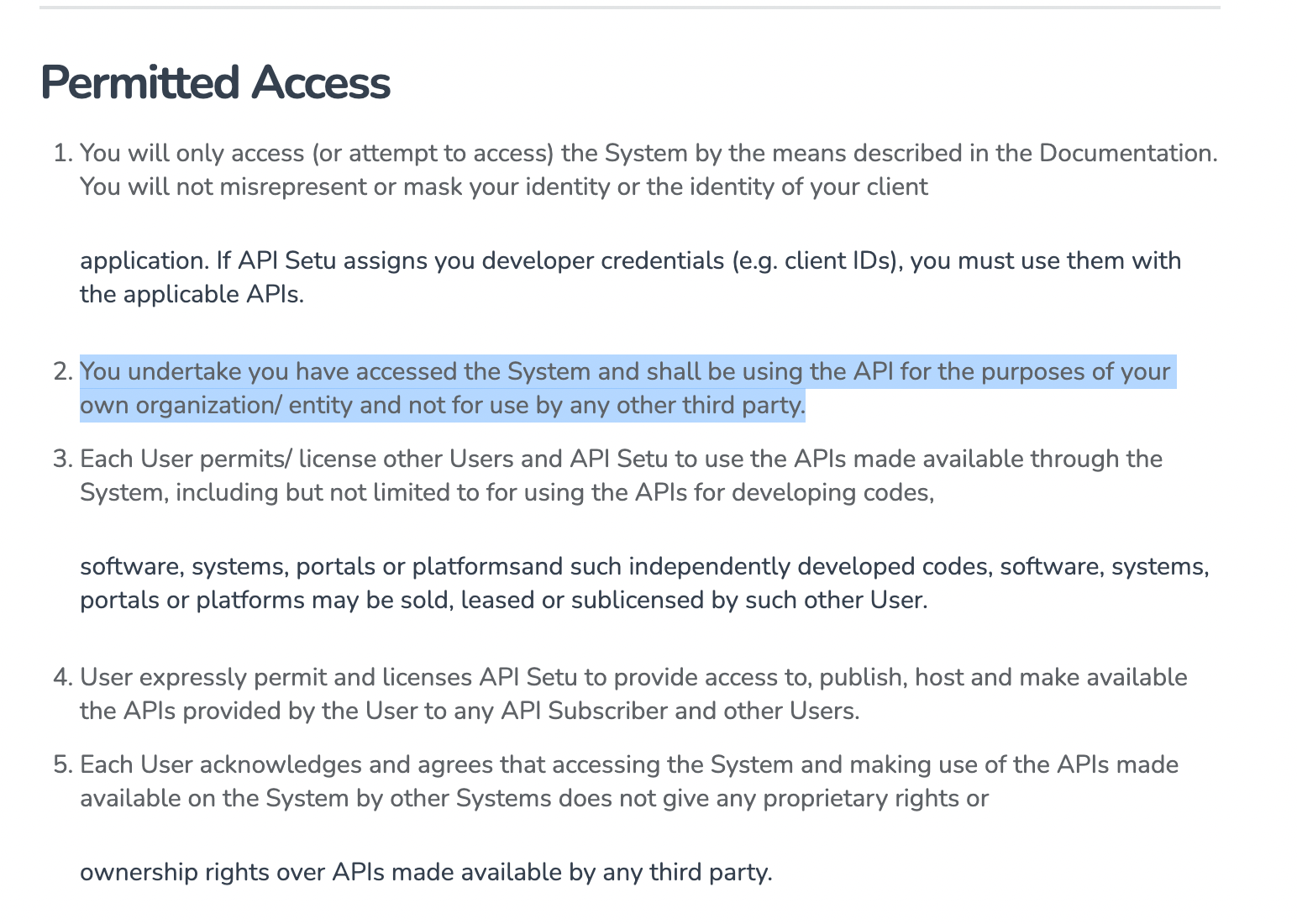
Why do you need to obtain your own DigiLocker credentials?
DigiLocker requires you to use their services and APIs solely for the purposes of your own organization/entity and not for use by any other third party.
Best Practices Queries
What are the best practices for using DigiLocker APIs to optimize integration success?
Best practices to consider when integrating DigiLocker:
-
User Instructions: Provide clear, intuitive, and easy-to-understand instructions. This helps users navigate through the DigiLocker flow and reduces consent-related errors.
-
Error Handling: Implement meaningful redirections and user education screens for all relevant error scenarios. This helps improve user experience in cases where users encounter issues during the flow.
-
Health Monitoring: Use HyperVerge's DigiLocker Health Check to monitor service availability and configure appropriate fallbacks based on your business logic.
For additional support or questions not covered in this FAQ, please contact our support team at support@hyperverge.co or refer to the Official DigiLocker Documentation.